


MyZio
4.61.57K Reviews
App Specs
- Version
- 2.2.1-rc1
- Updated On
- License
- Free
- Downloads
- 500,000+
- Developer
- iRhythm Technologies, Inc.
- Categories
- Medical
- Platform
- Android, iOS
Screenshots
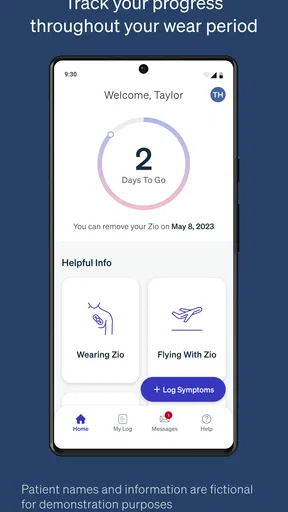
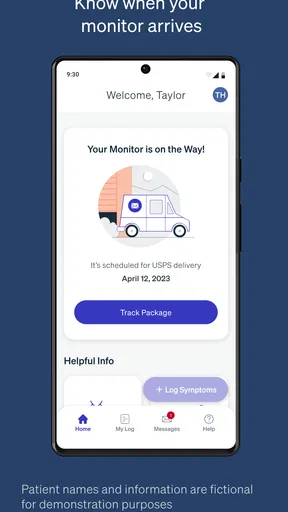
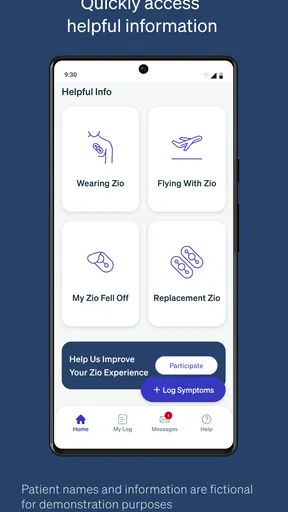
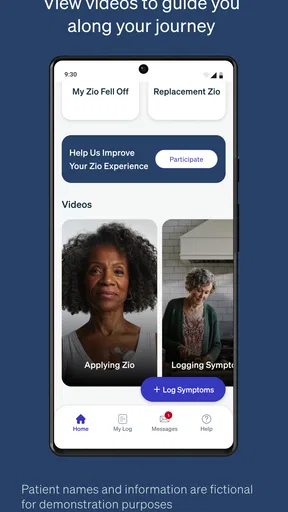
 Analysis by AppCompare
When I judge a medical app, I start with a simple question: does it help with a specific health task without asking me to treat it as a replacement for care? MyZio is closely tied to the Zio monitor, so its clearest role is helping people keep symptom information organized while using that monitor. That focus matters. I would not approach it as a general wellness dashboard or an all-purpose personal medical record.
A focused companion, not a general health hub
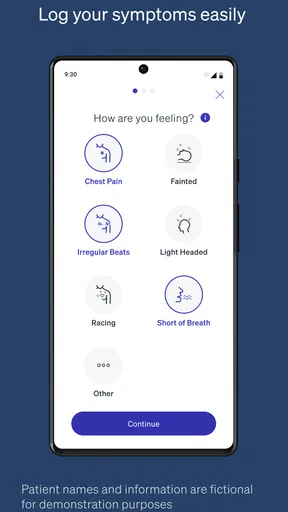
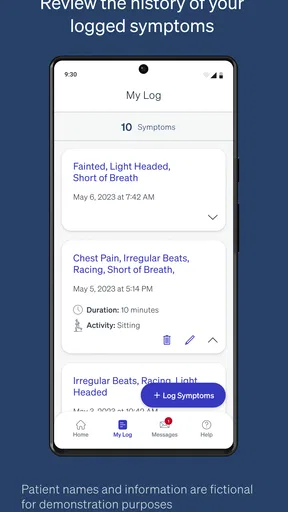
MyZio is a free medical app from iRhythm Technologies, Inc. Its store description points to symptom logging as the central purpose, and I think that is the right way to set expectations. A focused companion can be more useful than a broad health app when the task is to record what you felt while wearing a particular monitor. It also means the app makes the most sense when you have a reason to use the Zio monitoring service, rather than simply wanting a place to track everyday wellbeing.
The app has a 4.7 average from around 16,000 ratings, and it has been installed over 500,000 times. Those figures suggest many people have found a reason to keep it in their routine, but they do not tell me whether it suits every patient or every monitoring plan. I would treat it as a practical logging tool, not as proof that symptoms are being diagnosed in real time. If something feels urgent, I would seek appropriate medical help rather than wait for an app or monitor workflow.
What I would check before relying on it
Health details are personal, and a reassuring privacy claim should not substitute for looking at the choices actually presented in an app. Before entering anything, I would read the current permission prompts and consider whether each one makes sense for the task I am doing. I would also check the available account and privacy controls in the app itself, and review the relevant privacy information before deciding what to record. I cannot responsibly infer specific encryption, sharing, or account-deletion practices without seeing those controls and policies, so I would not treat them as established features.
This is especially worth doing if you share a phone, use a device managed by someone else, or prefer to keep health details out of general notes and messaging apps. A symptom entry can be sensitive even when it seems brief. I would avoid adding unrelated personal details simply because a text field is available, and I would make sure I understand who can access the phone and its notifications. That is a small habit, but it gives the user more control over where health information may appear.
Make symptom notes more useful
The most valuable part of any symptom log is not the number of entries; it is whether the notes help someone explain what happened. If I were recording an episode, I would aim for a short, factual description: what I noticed, when it began, how long it seemed to last, and what I was doing at the time. I would avoid trying to diagnose the cause in the entry. This kind of consistent wording can make later recall easier, especially if several days pass before discussing the experience with a clinician.
A realistic use case is noticing a brief sensation while going about an ordinary day and then having trouble remembering its details later. I would record it as soon as it is practical, rather than waiting until bedtime and relying on memory. If the app presents prompts or fields during logging, I would use only the ones that apply and keep the note concise. The goal is a usable record, not a diary that takes so long to maintain that I stop using it.
Worth Reading Before You Choose

EA SPORTS FC Mobile 26 Is a Bigger Football Game, but It Takes Time

Flipboard Shows What News Apps Must Do Beyond the Feed

Switching to Android Auto Means Rethinking Your Driving Routine

Google Calendar Makes a Crowded Week Easier to Manage

Ludo King Makes the Most of the Minutes Between Plans

Baby Panda World Brings Quick Play to Modern Phones, but Its Game Library Feels Busy
Where it fits among alternatives
Compared with a paper notebook, a phone-based symptom log is easier to carry and may be quicker to update in the moment. A notes app is more flexible, but that flexibility can make entries inconsistent and can mix health details with unrelated material. A general health tracker may bring several kinds of information together, yet it may not be designed around the Zio monitor. For someone using that monitor, MyZio’s specific purpose is its main advantage; for someone who only wants broad wellness tracking, a general-purpose option may be a better fit.
I would not assume that logging a symptom means the app interprets it, alerts a clinician, or tells me what action to take. I would follow the instructions provided for the monitor and ask the care team how they want symptoms recorded. If I were comparing this with a paper record or another app, I would choose based on the actual workflow I have been asked to follow, not on which interface looks more feature-rich.
MyZio is rated for Everyone, and its current version is 2.2.1-rc1. It first appeared on July 12, 2017, and the listed minimum operating system is version 8.0. Those details can help with basic compatibility checks, but I would still confirm that the app is available and works on my own device before a monitoring period begins. I would not wait until I need to log an episode to discover that setup or access is inconvenient.
One useful preparation step is to open the app when you have a quiet moment and understand the symptom-entry flow before relying on it. If you are assisting a family member, let them decide what they are comfortable recording and make sure they know how to enter a note themselves if possible. A helper can support the process, but should not turn the record into someone else’s interpretation of what the person felt.
I would also keep expectations modest about what a phone-based record can do. A log may help preserve details for a later conversation, but it cannot replace a clinician’s advice or the monitor’s intended process. If a symptom is severe or needs immediate attention, routine logging is not the right response. This boundary is easy to overlook when an app is associated with medical monitoring, so I think it is worth making explicit.
For people who do not have a Zio monitor, the app’s narrow purpose may not justify installing another health app. A standard notes tool or a clinician-recommended tracking method may be simpler. Likewise, anyone looking for medication reminders, appointment scheduling, or a complete health record should choose a tool that clearly provides those functions rather than assume they are part of this app.
Using MyZio with realistic expectations
Setting up MyZio is a breeze. You’ll find it available on both Android and iOS, so no worries about compatibility. After a quick download, the app guides you through a straightforward registration process. You pop in some basic info about yourself, and voila, you’re ready to roll. The interface is sleek and user-friendly, making navigation feel like a walk in the park.
Features That Stand Out
Now, onto the good stuff! MyZio is packed with features designed to make your health management as seamless as possible. Whether you’re tracking your medication, monitoring symptoms, or scheduling doctor’s appointments, this app has got you covered.
- Medication Tracker: Never miss a dose again. The app lets you log all your meds, set reminders, and even keeps a history of your medication intake. It’s like having a little nurse in your pocket.
- Symptom Journal: Keeping track of how you’re feeling on any given day is crucial, and MyZio makes it easy. You can record symptoms, add notes, and even upload photos if needed.
- Appointment Scheduler: With its integrated calendar, you’ll never forget another doctor’s visit. You can sync it with your phone’s calendar, making it super easy to keep track of all your health appointments.
User Experience and Interface
Honestly, the user experience is top-notch. The app’s design is intuitive, with a clean layout that’s easy on the eyes. Even if you’re not tech-savvy, navigating through MyZio feels natural. The color scheme is soft yet vibrant, adding a touch of personality without being overwhelming. Plus, the app loads quickly and runs smoothly, which is always a plus in my book.
Privacy and Security
In today’s world, keeping your data secure is crucial. MyZio doesn’t disappoint in this department. The app ensures your information is encrypted and promises not to share your data without your consent. It gives you peace of mind knowing that your private health information is safe and sound.
Support and Community
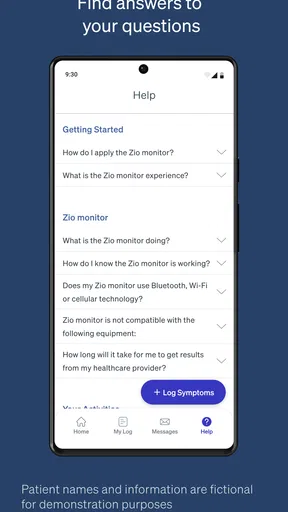
If you ever run into issues, MyZio offers solid customer support. There’s an in-app help center with FAQs and a contact feature for reaching support staff. Plus, they’ve got a community forum where users can share tips, tricks, and experiences. It’s like joining a club where everyone wants to see you succeed.
Final Thoughts
So, is MyZio the app for you? If you’re looking for an all-in-one health management tool that’s reliable, secure, and easy to use, then I’d say give it a shot. It’s not just about managing your health; it’s about taking control of it. Whether you’re tech-savvy or a newbie, this app adapts to your needs. And with new features being added regularly, it’s only going to get better.
Ready to take charge of your health journey? Check out the download links below and start your MyZio experience today!
Pros
- User-friendly interface enhances navigation.
- Offers personalized content recommendations.
- Seamless integration with smart devices.
- Regular updates improve functionality.
- Robust security features protect data.
Cons
- Requires constant internet connection.
- Limited offline functionality options.
- Some features locked behind a paywall.
- Occasional bugs during peak usage.
- In-app ads can be intrusive at times.
FAQs for MyZio
What is MyZio, and what does it offer?
MyZio is an innovative app designed to streamline personal finance management. It offers features such as budget tracking, expense categorization, and financial goal setting. With a user-friendly interface and real-time updates, it helps users stay on top of their financial health effortlessly.
Is MyZio secure for managing my financial information?
Yes, MyZio prioritizes security by implementing advanced encryption protocols to protect your data. It uses two-factor authentication and secure servers to ensure that your financial information is safe from unauthorized access.
Can MyZio sync with my bank accounts?
Absolutely. MyZio offers seamless integration with a wide range of banks and financial institutions. By syncing your accounts, you can automatically track your transactions and get an accurate overview of your financial situation without manual input.
Does MyZio offer any customer support if I encounter issues?
Yes, MyZio provides comprehensive customer support through multiple channels including email, live chat, and an in-app help center. Their support team is known for being responsive and helpful, ensuring that any issues you encounter are resolved promptly.
Is there a cost associated with using MyZio?
MyZio offers a free version with basic features, but for more advanced tools and functionalities, a premium subscription is available. The premium version includes features like personalized financial advice and advanced analytics, offering great value for those serious about financial management.


